
"When called upon to vote in a Bahá’í election, believers should be aware that they are carrying out a sacred task unique to this Dispensation. They should approach this duty in a prayerful attitude, seeking divine guidance and confirmation.
As Shoghi Effendi has advised, “they must turn completely to God, and with a purity of motive,
a freedom of spirit and a sanctity of heart, participate in the elections."
— The Universal House of Justice / 25 March 2007 – To the Bahá’ís of the World

STEP 1
The Online Balloting System uses the standard login credential known as BOSA (Bahá’í Online Services Account). This is the same credential that friends in the United States use to log in to the national member services website (Bahai.us) or the Online Contribution System (OCS). There are two ways to access OBS:
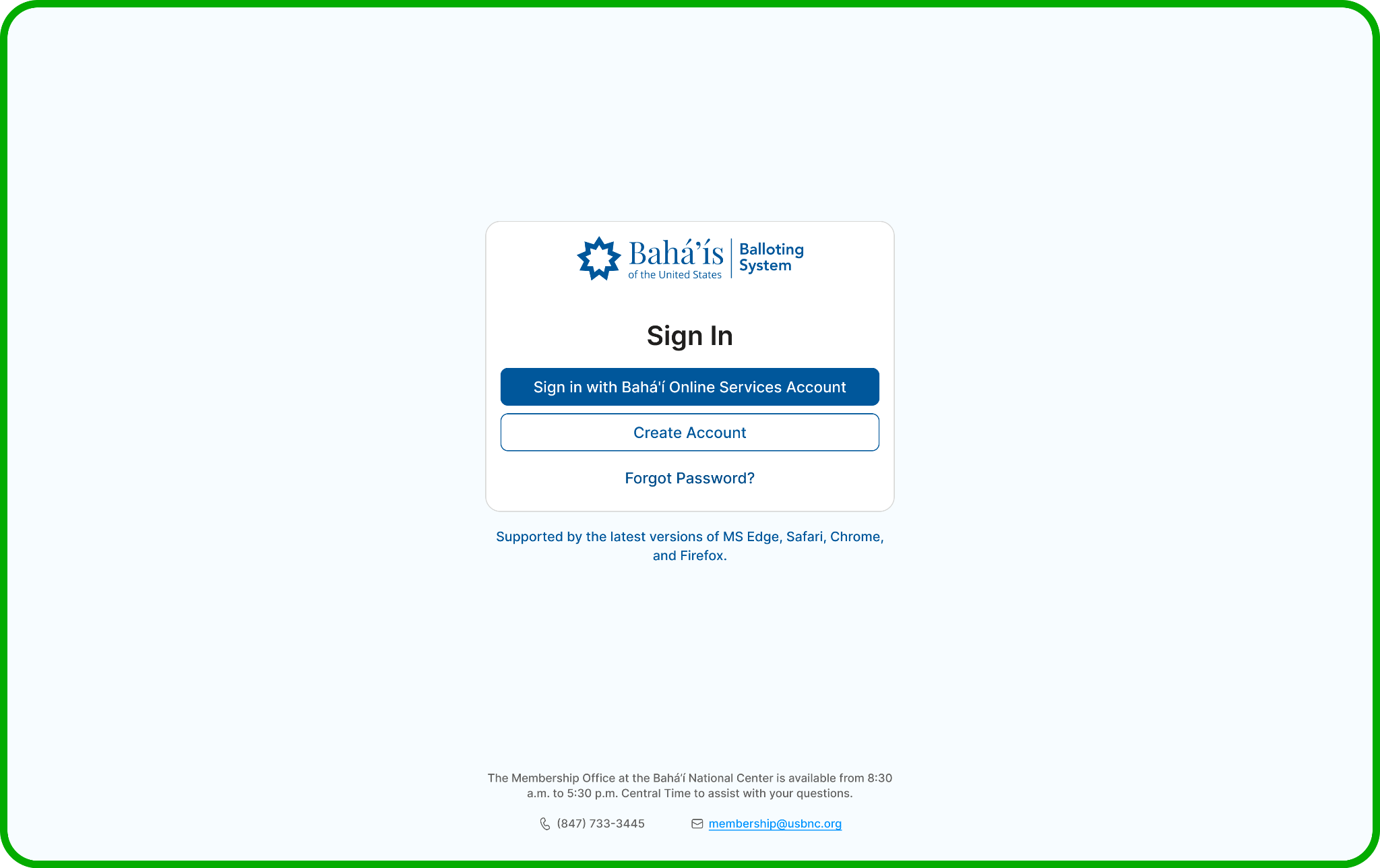
Log in directly to www.OBSBahai.org. You will be prompted to enter your Bahá’í ID and password (BOSA).
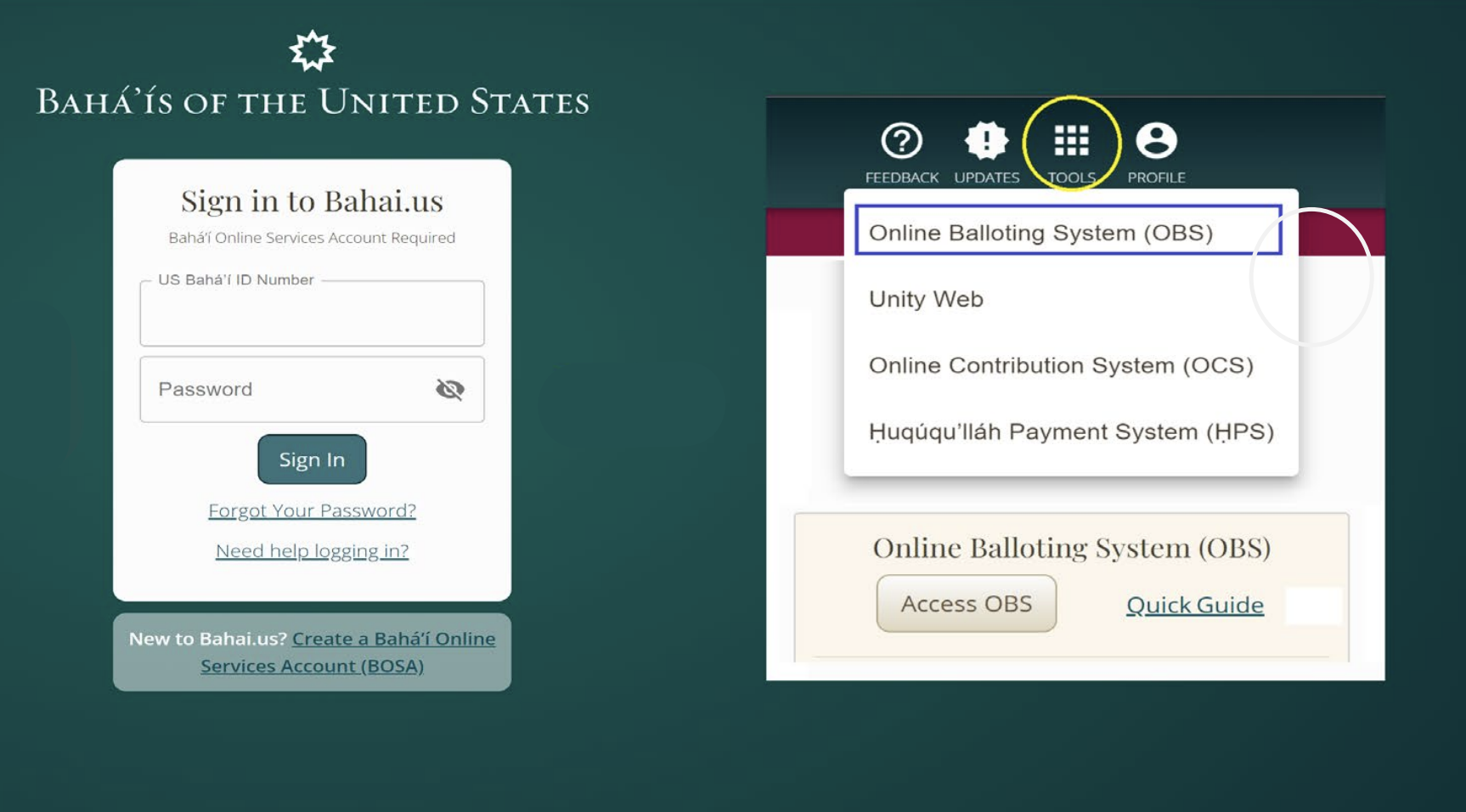
Visit the Bahai.us login page at https://www.bahai.us/community/login. Once logged in, click on “Access OBS”. OBS is also available under “TOOLS”.
IMPORTANT: If you do not have BOSA yet, simply click on the link that says “Create a Bahá’í Online Services Account” or “Create Account.”
For ease of use, we recommend that you access OBS on the device you plan to use for voting online.
STEP 2
Once you are logged in, the system will take you directly to OBS, where you will be ready to cast your ballot online.
If you are eligible to vote in an active election, and the online voting period is still open, after logging in you will see a screen, with your full name and Bahá’í ID as they appear in the national membership database.
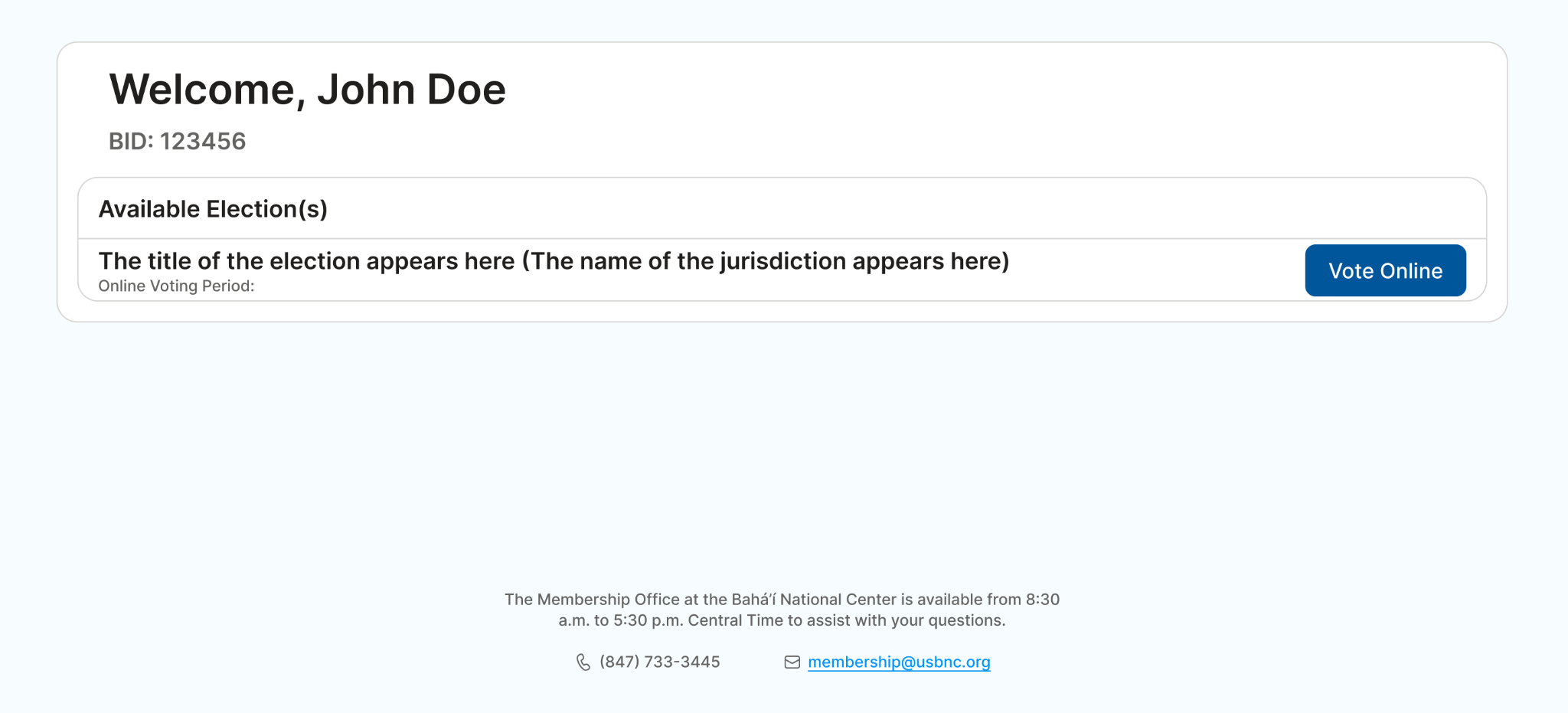
IMPORTANT: If there is no active online election or the online voting period is not open yet or has expired, you will see a message saying, “Sorry, no active election available.” If you believe there should be an active election, please contact your Local Spiritual Assembly’s secretary or call the Membership Office at the Bahá’í National Center at (847) 733-3445.
STEP 3
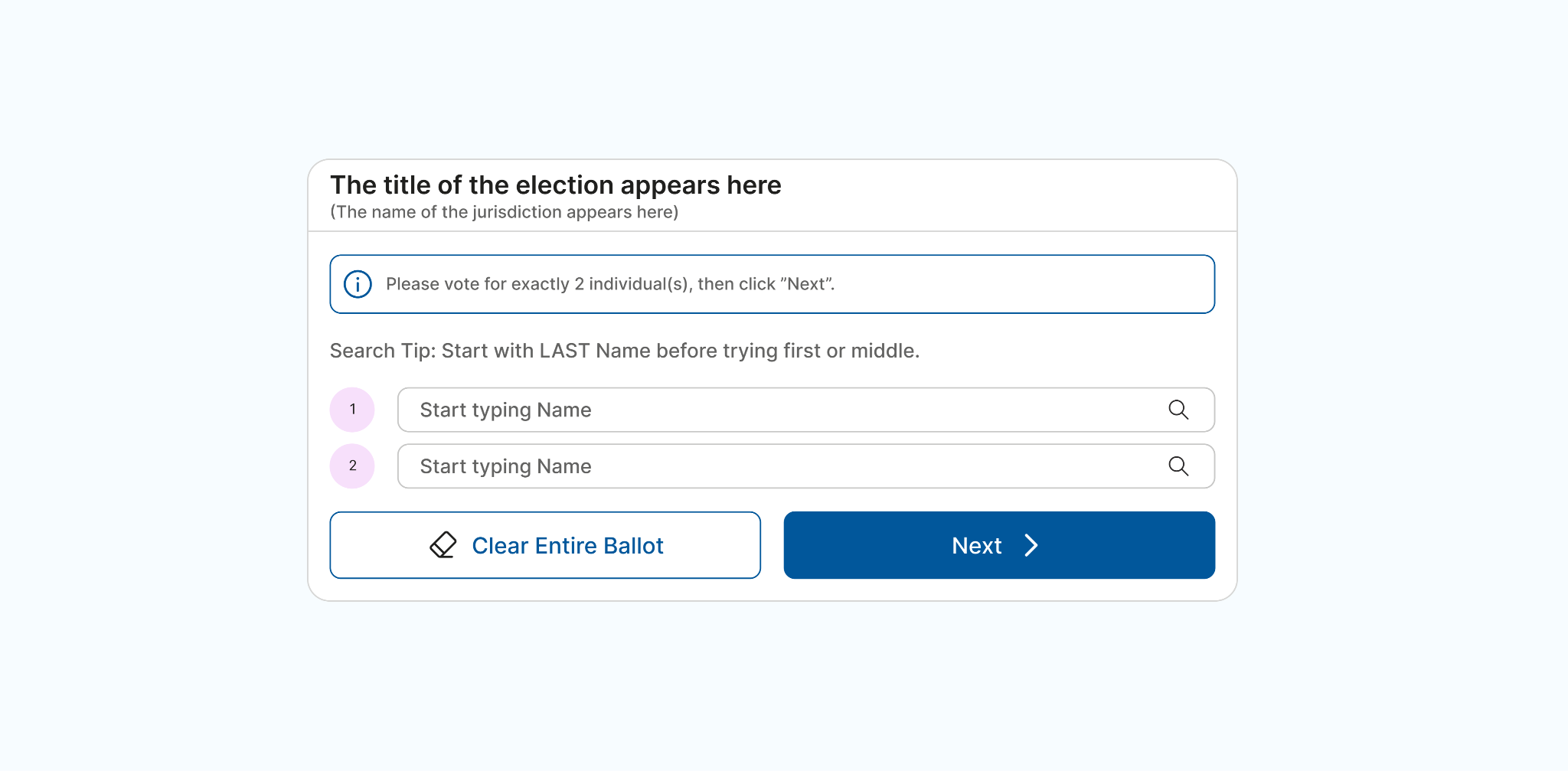
To start voting online, click on the “Vote Online” button. When you see the ballot, start typing the first, middle, or last name of the individual you wish to vote for. As you type, the system displays possible matches with the names of those eligible to serve.
Click/select the name of the person you wish to vote for. Please repeat this process for each vacancy. Then click on “Next”.
STEP 4
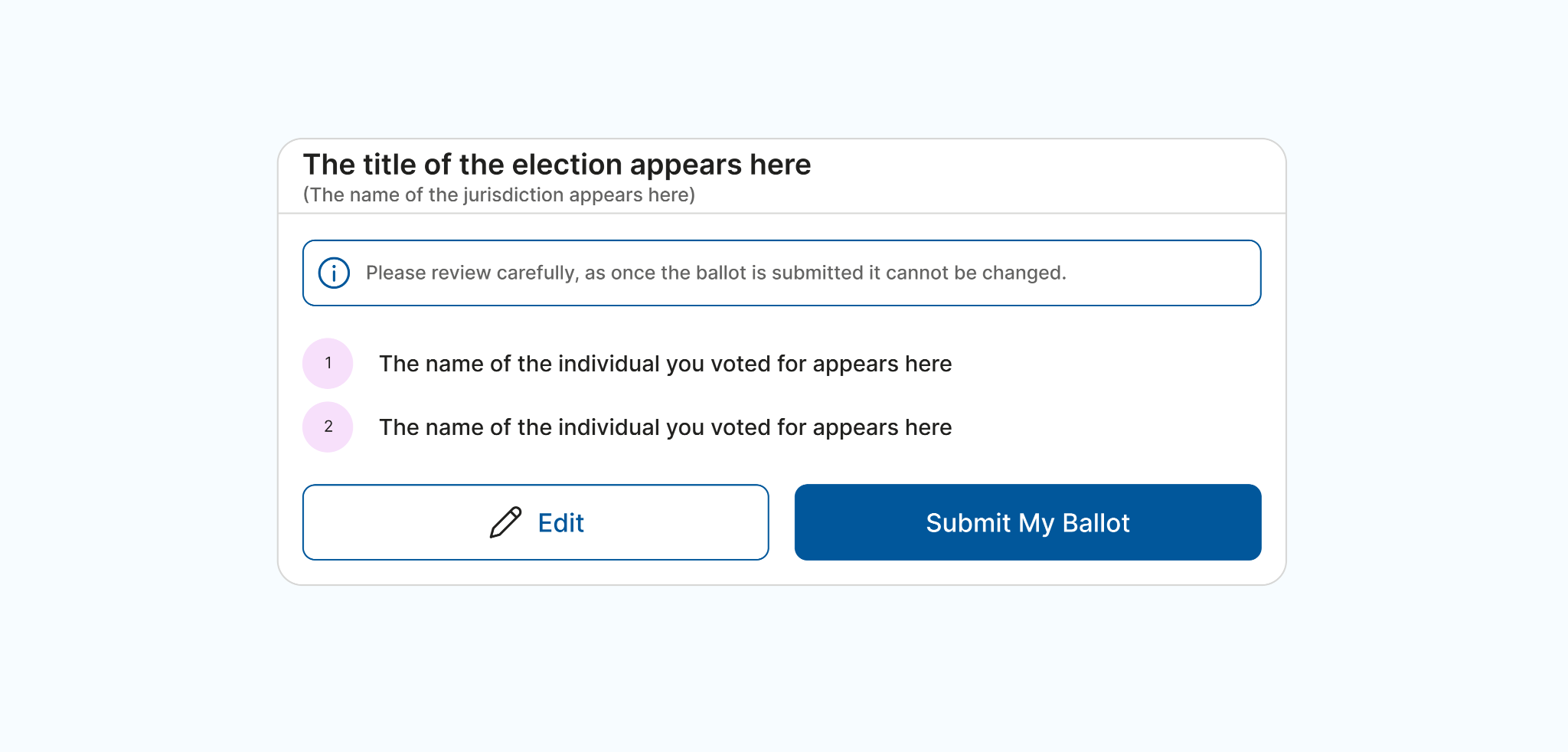
You will see the name(s) listed in the order you entered them. Please review the list carefully, since once your ballot is submitted it cannot be changed.
If you wish to correct your entry, click on “Edit” to go back to the previous page.
When ready to submit, click on “Submit My Ballot”.
STEP 5
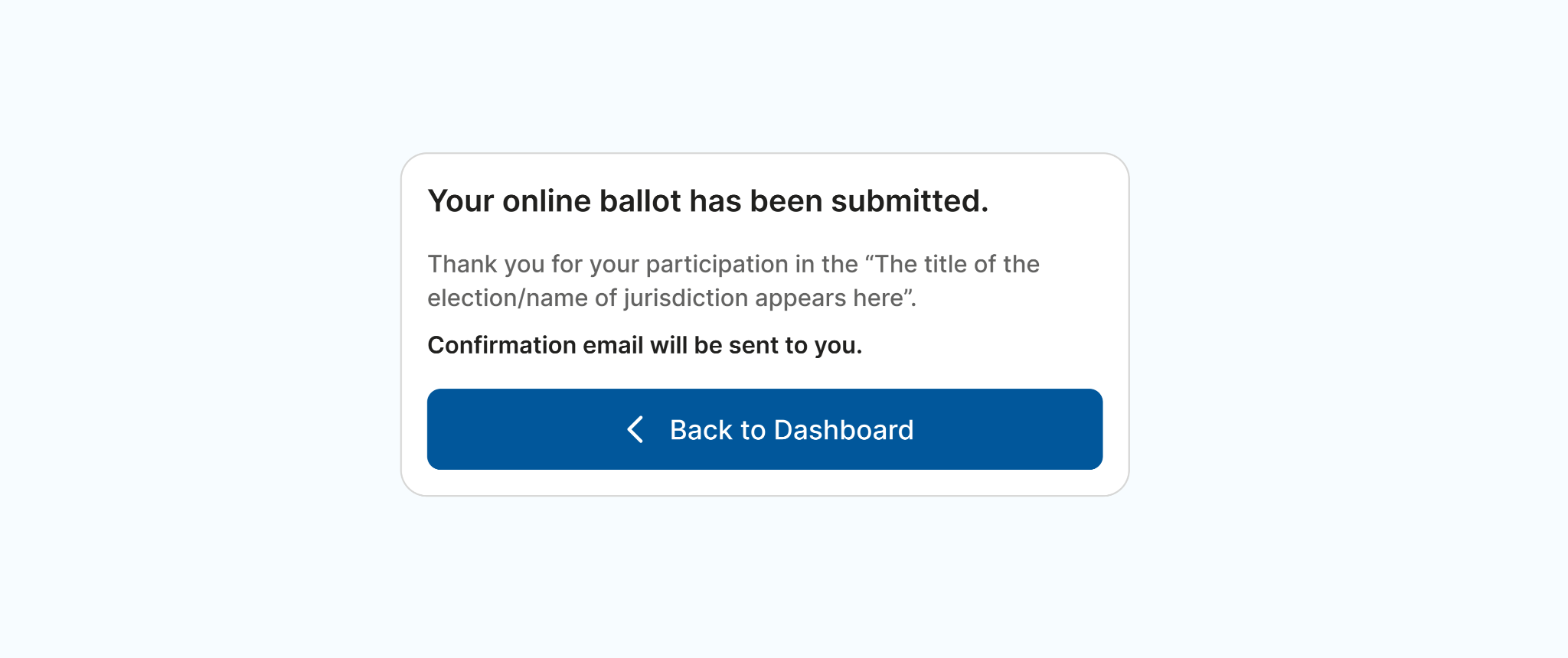
Once your ballot has been successfully submitted, you will receive a confirmation message at the email address on file for you in the national membership database.
If there is a delay in receiving your confirmation email, please check your spam folder and/or allow extra time for its arrival.
Your online voting session is now complete.
IMPORTANT: Please note that a ballot cast online is final and cannot be changed. Each eligible individual can cast a ballot online only once. Therefore, please review your ballot carefully before submitting.